For Mac · Skirnir Studios

Roomwell
A little clarity for your Mac.
Roomwell shows what’s taking up space on your Mac and whether each thing is safe to remove. It also lists programs that start automatically, finds Intel-only software before macOS 28, and shows how your battery is aging. Everything is explained in plain language, and nothing moves without your OK.
Coming soon to the Mac App Store
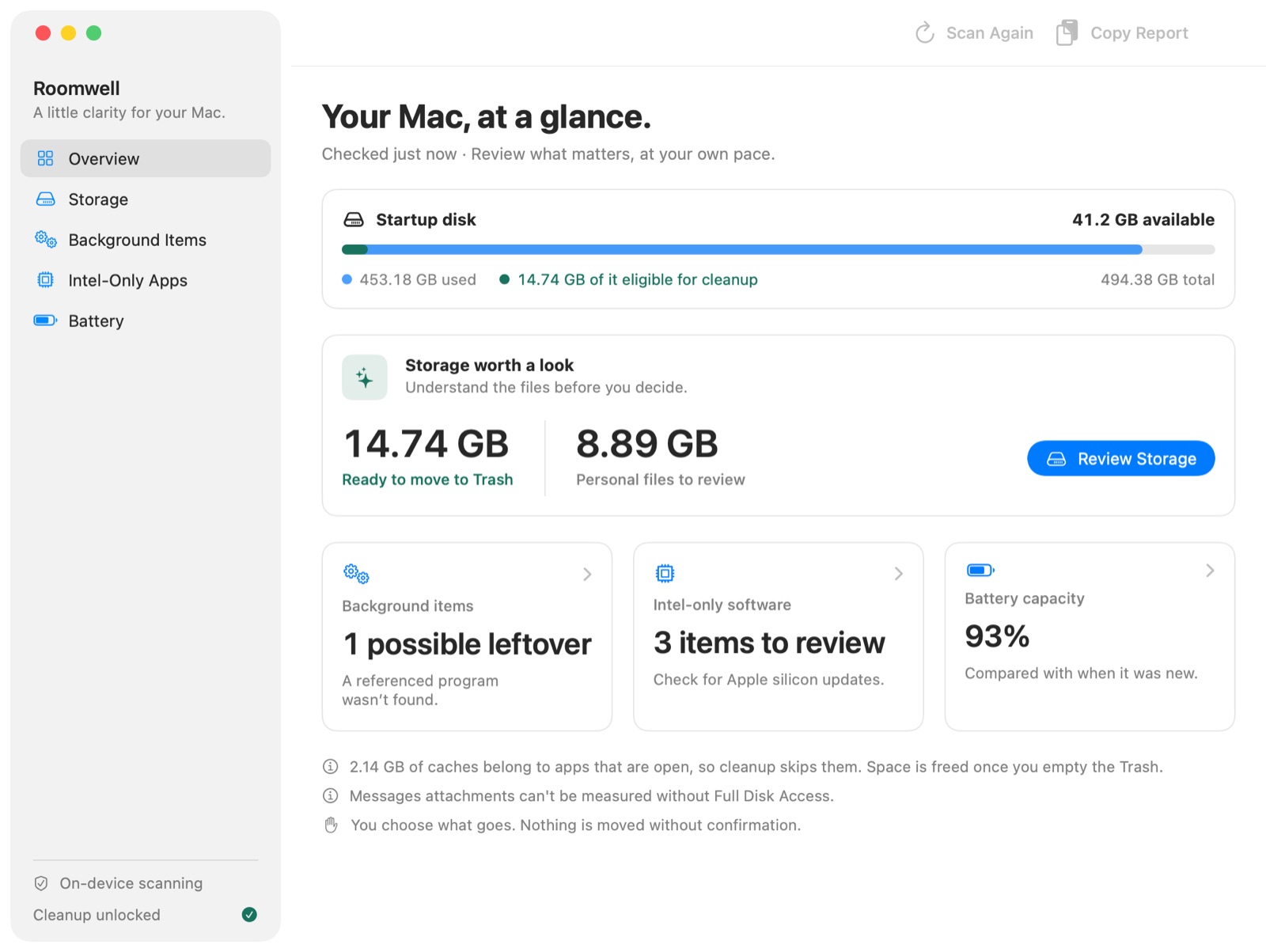
What it checks
Storage
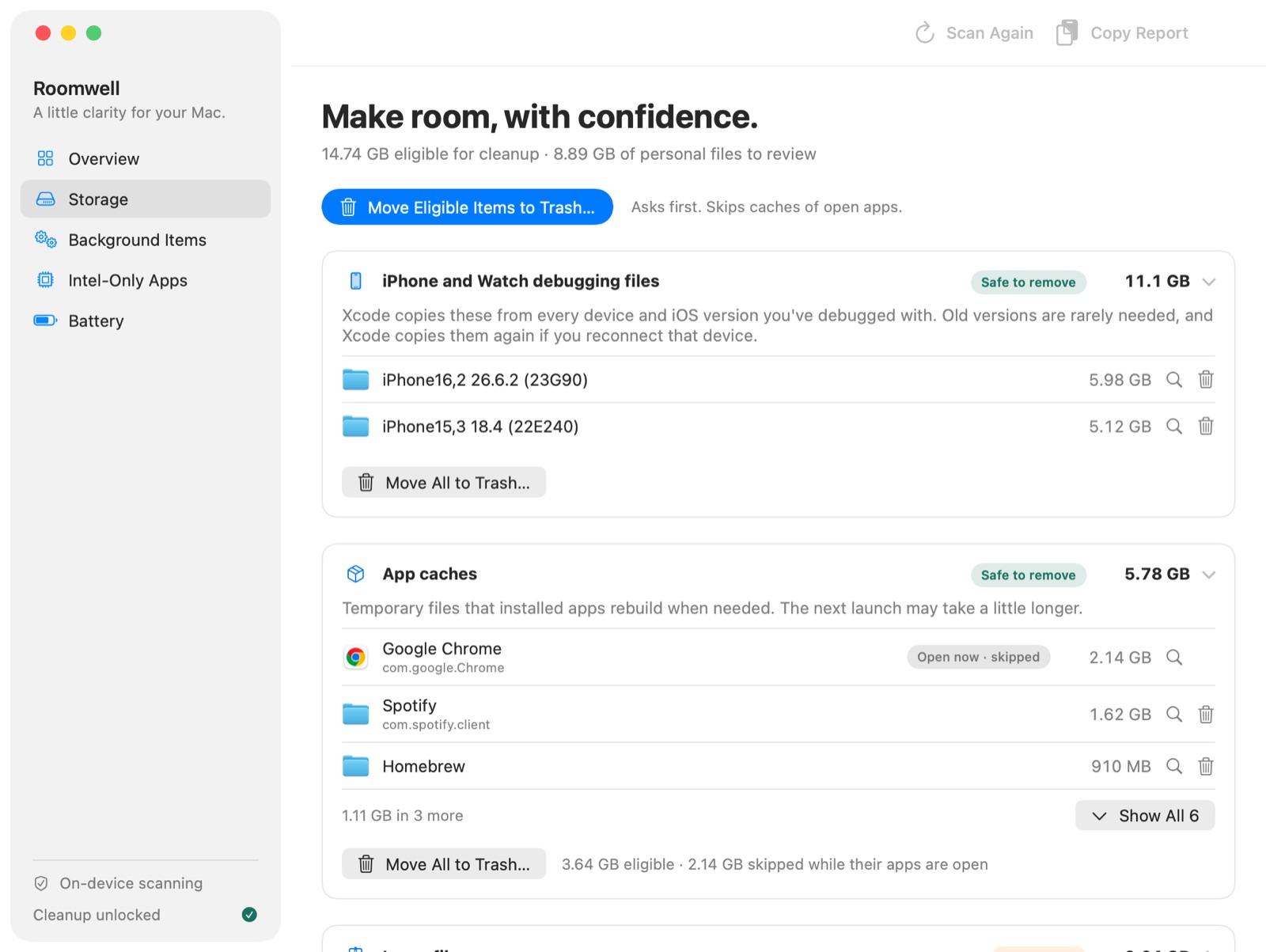
App caches, logs, developer files, old downloads, installers and large files, each with an explanation and a clear label: safe to remove, review first, or manage it in its own app.
Background items
Launch agents and daemons, with possible leftovers from apps you’ve deleted flagged for you.
Intel-only software
Apps, audio plug-ins and drivers without Apple silicon code, including ones the list in System Settings can miss.
Battery
Maximum capacity, cycle count and practical tips for MacBook batteries.
Free to scan. Every check, explanation and Show in Finder is free. A one-time in-app purchase adds Move to Trash actions. There’s no subscription.
Roomwell asks before moving anything, and items go to the Trash, so you can put them back until you empty it.
Requires macOS 14 Sonoma or later. Battery details are shown on Mac laptops.